Falls are a serious concern, especially for older adults and people with mobility challenges. Having worked as an EMT and later as a safety director at a retirement community, I’ve seen first-hand the risks and the huge difference a few changes at home can make.
One area that’s making fall prevention a lot easier these days is smart home technology. I want to walk you through how these devices fit into the bigger picture of fall prevention and how you can use them to create a safer, more comfortable living space.
Why Fall Prevention Matters (and How Smart Homes Fit In)
Falls can lead to broken bones, hospital stays, and a tough recovery. About a third of adults over 65 experience at least one fall each year, according to the CDC. Even in my experience as an EMT, it was clear falls could happen anywhere, often in situations that might have been avoidable with some simple prevention.
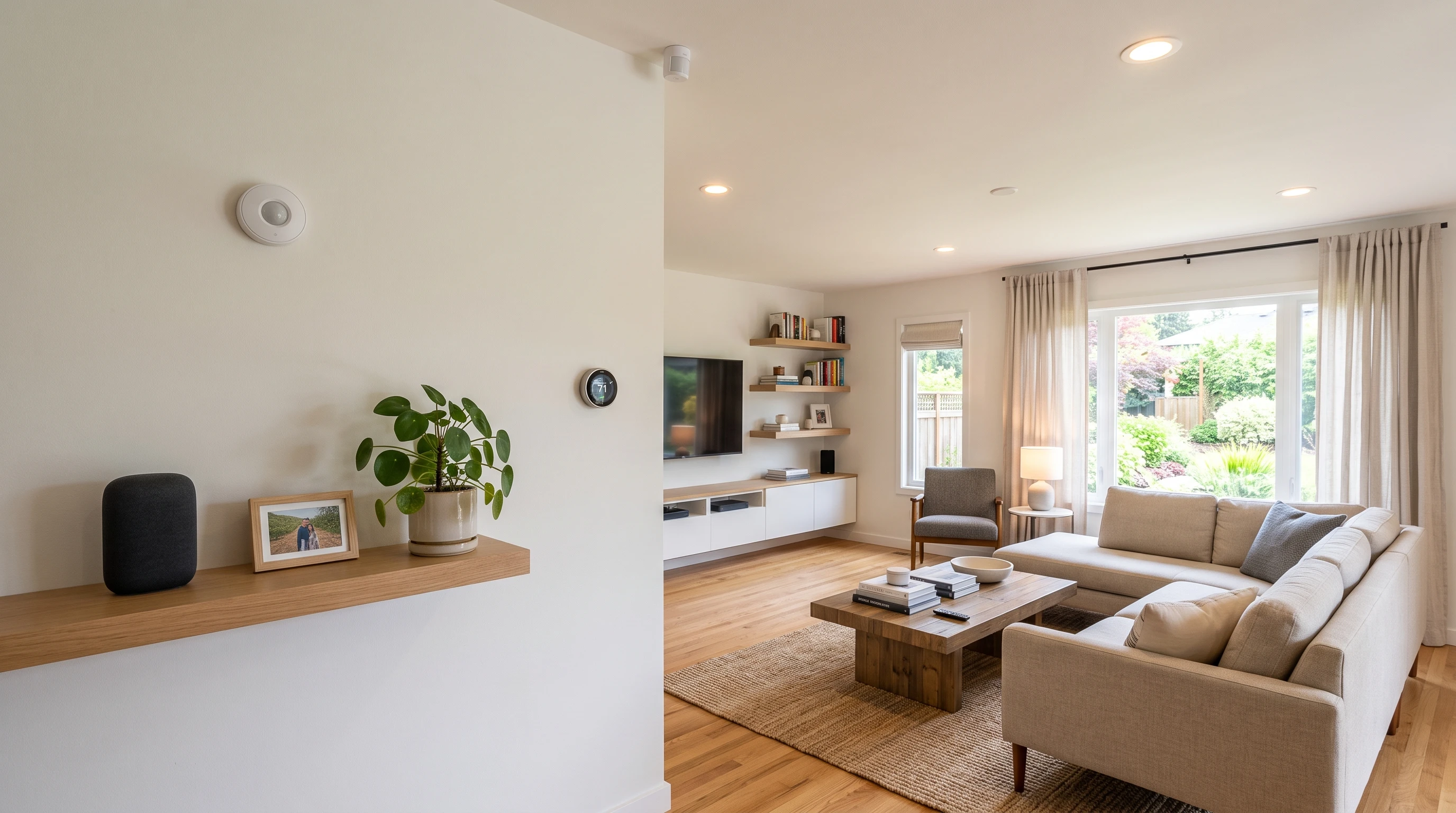
Smart home devices have grown from just cool gadgets for convenience into powerful tools that help keep people safer. Automated lighting, voice assistants, sensors, and even smart carpets can either stop a fall from happening or get help there faster if one does happen.
What’s eye-catching about today’s smart home tech is how it blends behind the scenes, seamlessly working in the background without feeling disruptive or out of place. Over time, advances in these tools have led to more affordable options being available at just about any electronics store or online. If you haven’t already checked out what’s out there, you might be surprised by how much is possible even for folks who aren’t into gadgets.
Key Smart Home Devices for Fall Prevention
Every home and individual needs a different mix, but some devices really stand out for fall prevention. Here are some I’ve recommended and seen make a real difference over the years:
- MotionActivated Lighting: These lights turn on automatically when someone enters a room or hallway, making it much less likely to trip in the dark. No need to fumble for switches at night, which is super helpful in bedrooms and bathrooms.
- Voice Assistants (like Alexa or Google Home): With a simple voice command, lights can be turned on, or help can be called without needing to move around. I’ve seen this be a real game changer for folks who have limited mobility or after a recent surgery.
- Smart Plugs and Outlets: These let you control lamps and appliances remotely, making it easy to make sure walkways are clear and cords aren’t a tripping hazard.
- Fall Detection Sensors: Some smartwatches and other devices can detect sudden movements that look like a fall and automatically alert a loved one or emergency contact.
- Smart Security Cameras: Cameras paired with motion sensors can alert caregivers if there’s unusual movement or no movement at all, which can sometimes point to a fall.
- Pressure Mats and Floor Sensors: Placed at the bedside or major pathways, these can send an alert to a caregiver’s phone if someone gets out of bed at night, helping keep an eye out for risks in real time.
Some homes even use new smart carpet technology, where pressure-sensitive tiles hidden under the rug map out movement throughout the day. Caregivers quickly spot new or unusual activity, picking up on issues before falls happen. Features like this might sound like something out of a sci-fi movie, but they’re becoming more available in accessible smart home stores every year.
How Smart Homes Can Help at Every Step
Smart home tech isn’t just about emergency response; it can make everyday life safer and easier by tackling the most common things that lead to falls. From low visibility to clutter to delayed emergency response, here’s how the right tech can make a difference:
- Lighting: Tripping hazards hide in shadows. MotionActivated and automated bulbs make sure rooms and hallways are always lit when needed. I’ve seen fewer night falls when these are installed in bedrooms and bathrooms.
- Alerts for Unusual Activity: Smart sensors on doors, windows, or even refrigerators can let a caregiver know if an expected routine is missed, sometimes a sign of a problem.
- Automatic Reminders: Voice assistants can be set up to give reminders for medication or scheduled check-ins. This helps keep routines on track and helps people avoid risky situations due to missed doses or late activities.
- Instant Communication: Voice assistants, smart watches, and intercoms make calling for help quick and easy, saving precious time after a fall.
Another key step up is connecting devices together. For example, you can set up routines where getting out of bed after dark automatically turns on the hallway lights and notifies a family member if the person hasn’t returned to bed. This coordinated effort between devices helps everyone stay safe without making life feel like it’s being watched 24/7.
Setting Up a Smart Home: Practical Tips
Smart devices are helpful, but placement and setup matter just as much. Here are some things I always suggest to families and residents based on what I’ve seen work best in both private homes and retirement communities:
- Start with HighRisk Spots: Focus on areas like bathrooms, bedrooms, and hallways. These see the highest number of falls, especially at night.
- Keep Tech Simple: Choose devices with easy controls and reliable voice activation if mobility or dexterity is limited. Complicated systems aren’t very helpful in emergency situations.
- DoubleCheck Connectivity: Wi-Fi and power outages can disrupt important devices. Consider devices with battery backup or cellular support for urgent alerts.
- Team Up with Caregivers: Make sure trusted family or friends have access to alert systems and know how to respond if an alarm goes off.
- Get Rid of Clutter: Smart devices work best when walkways are clear, so use this as a great excuse to declutter cords, rugs, and small furniture.
Make sure to check instructions for each device and do a test run after installation. Walking through usual nighttime routines or going about your daily habits with the new tech in place helps spot any potential problems before they can become an issue. Some families even keep a small binder of device instructions and troubleshooting tips handy, which can be useful during outages or automatic software updates.
Challenges to Keep in Mind
While smart home tech can be super useful, it isn’t a magic fix for every situation. Here’s what I’ve noticed can get in the way:
- Tech Frustration: Some people might find smart gadgets confusing or intimidating. It helps to start slow and stick with straightforward devices.
- Privacy Concerns: Cameras and sensors can feel intrusive for some. Be open about where devices are placed and who can view alerts. Some families choose sensors that notify without video.
- Upfront Costs: Smart home setups can get pricey. However, starting small is totally fine. Even just automated lights or a voice assistant can lower the risk for falls a lot.
- Maintenance: Batteries need changing, and connections need checking once in a while. Remind users to check these regularly, maybe as part of a monthly routine.
Another important challenge is making sure your Wi-Fi covers all the important areas. Dead zones or unreliable networks can make some smart devices useless right when you need them most. If possible, invest in a mesh Wi-Fi system or extension plugs so crucial areas like back hallways or basement stairs aren’t left out.
RealWorld Examples: Smart Devices and Safer Daily Living
A few stories stick with me from my time as a safety director. One resident had a string of nighttime falls, always in the same hallway. We swapped out two light switches for motionactivated lights, and the falls stopped completely.
In another case, a smartwatch with builtin fall detection automatically notified the resident’s daughter when a fall happened in the backyard; EMS was on scene much quicker than if she’d been relying on yelling from the porch.
Family caregivers have also told me how much pressure it takes off knowing they’ll get an alert if their loved one is up wandering in the middle of the night or if a lack of kitchen activity signals something might be wrong.
In several situations, smart home devices also helped track down other immediate risks, such as someone forgetting a stove was on or getting locked outside after a fall. Quick alerts and instant communication eased up follow-up time, reducing the overall impact falls might have had in those cases. The peace of mind these devices bring cannot be understated.
Common Questions About Smart Home Fall Prevention
Here are a few questions I get asked all the time, along with some answers based on what I’ve seen work best in real homes:
Q: Is installing smart home devices a lot of work?
A: Most basic devices, like smart bulbs and voice assistants, are plug and play. For more advanced setups, like entire home security and sensor networks, it can help to get a pro or someone techy in the family.
Q: Are there any ongoing costs?
A: Some devices, like cameras and fall detection watches, have subscription fees for features like cloud recording or access to an emergency call center. Many devices, like smart lights, don’t have ongoing costs beyond electricity and the occasional battery swap.
Q: What brands are the most reliable?
A: I’ve found that companies like Philips Hue (for lights), Amazon (Alexa), and Apple (HomeKit) all have userfriendly devices that get solid reviews for stability. For fall detection, Apple Watch and some alert worn devices from companies like Medical Guardian do the trick. Always look for brands with good customer support.
Getting Started with Smart Home Fall Prevention
Building a safer home never happens all at once. Start with the areas you’re most concerned about, maybe the bathroom, bedroom, and main hallway. Even just a few smart devices can go a long way toward peace of mind for you and your loved ones. With my background, I’ve seen the difference between a risky living space and one that supports safer, independent living.
If you’re thinking about upgrades, careful research and listening to the needs of the person living there makes all the difference. And keep things practical; sometimes the best improvements are the simplest ones, like better lighting or an easy way to call for help.
Read My Review of the Best Senior Fall Alert Devices That Notify Family Members Directly.