
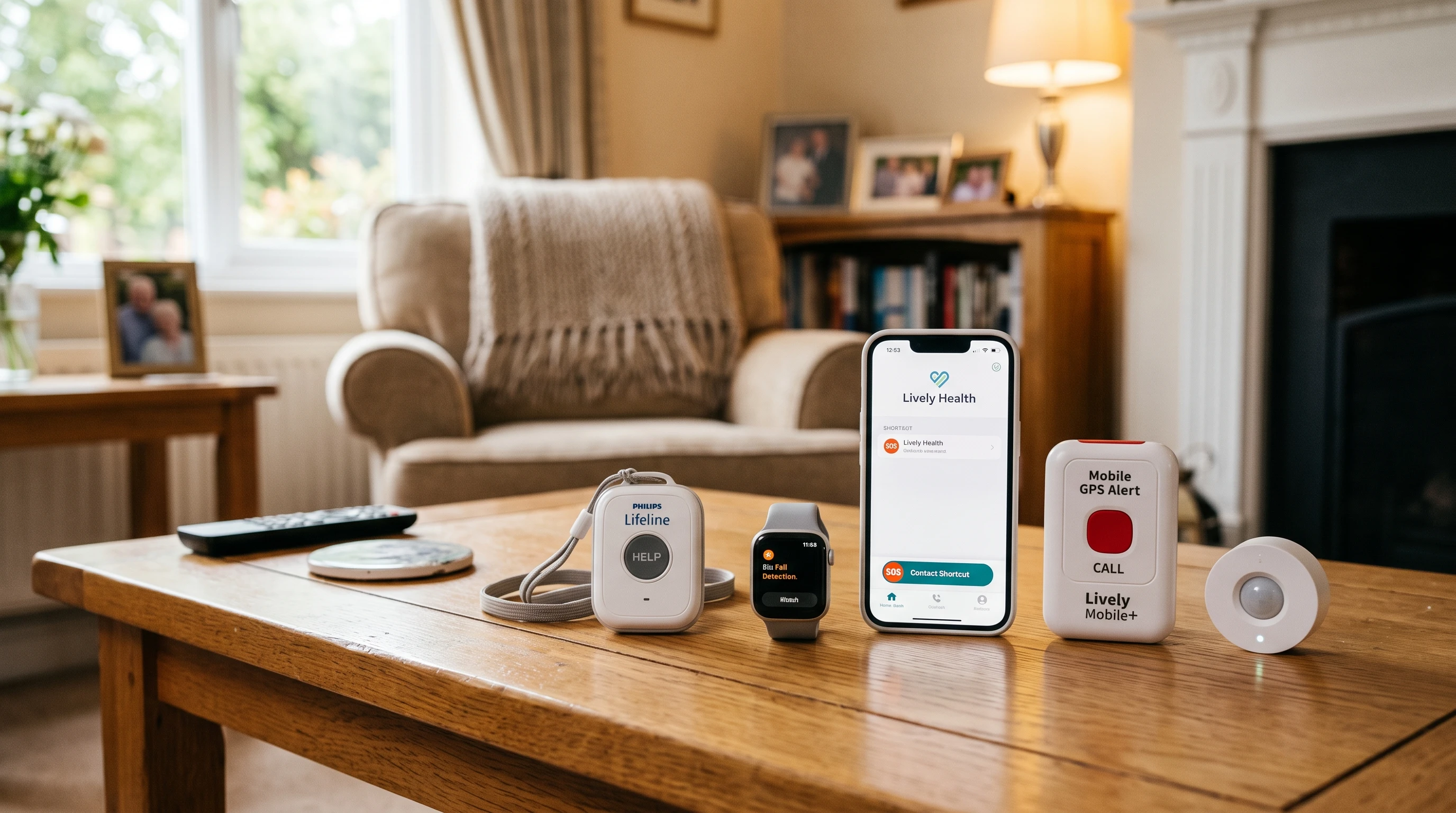
 Staying safe, independent, and confident at home is something many older adults, and their families, care about deeply. As someone who spent decades in emergency response and senior safety, I’ve seen how even small steps with emergency technology can make a world of difference. The right solutions can give not just quick help in a crisis, but real peace of mind every day.
Falls, medical emergencies, and sudden health issues can happen without warning. Fast access to help makes recovery more likely and keeps you living where you feel most comfortable. These days, emergency response technology has grown from simple push-button alarms to smart sensors, wearable devices, and even voice-activated systems that work almost silently in the background.
Here’s an overview of modern emergency response technology for seniors, tips to choose what fits best, practical advice for setup, plus a rundown on mistakes to avoid and signs that new solutions might be needed. My focus is always on affordable, practical safety improvements—not expensive gadgets that don’t solve real problems.
Understanding Emergency Response Technology for Seniors
When I talk about emergency response technology, I’m referring to devices and systems that connect older adults to help quickly, especially after a fall or sudden illness. Some options have been around for a while, but there are a lot of new tools worth checking out that really add to your safety net.
What Counts as Emergency Response Technology?
- Medical alert systems: These can be worn as pendants, bracelets, or belt clips. When a button is pressed, the device connects you to a live operator who can send help right away.
- Fall detection devices: Some gadgets automatically sense a fall and alert emergency responders, even if you can’t hit the button yourself.
- Smart home sensors: These can detect things like motion, inactivity, or sudden changes in room temperature. Some systems work with voice assistants (like Alexa or Google Home) to call for help hands-free.
- Mobile medical alert devices: Unlike traditional systems that only work at home, these devices can call for help wherever you go, such as on walks, errands, or traveling.
- Medication reminders: Devices that beep, buzz, or even call you when it’s time to take medication are now often paired with emergency alert features.
All of these are designed to get help on the scene fast, and many are easy to add to your daily routine. Technology is advancing, so new types of devices are regularly coming onto the market that step up these core functions. Some now include GPS tracking for outdoor safety, or even integration with health apps to give more information to responders. These improvements keep making it easier to stay independent.
Check out my review of “Fall Alert Devices” that call the family…
Key Features to Consider When Choosing a System
Not all emergency response products are the same. The right pick depends on your needs, health, and home layout. Here are features I always suggest looking at if you’re comparing options:
- Automatic fall detection: This is really important if someone lives alone, has a history of falling, or takes medications that cause dizziness.
- 24/7 monitoring: Some products just send alerts to family members; others connect to live monitoring centers with trained operators. Double-check what level of support is included.
- At-home and onthego coverage: Decide if a basic home system is enough, or if you need something that travels with you.
- Backup batteries: Devices should work during power outages. Look for battery life of at least 24-36 hours.
- Water resistance: Falls often happen in the bathroom or kitchen. Make sure devices can handle splashes or brief submersion.
- Comfort and ease of use: The device should be simple and comfortable enough to wear all day. Touch or button size matters, especially if finger dexterity is an issue.
I also recommend checking monthly costs, activation fees, contracts, and return policies before signing up. Another handy feature many overlook is how easy it is to adjust settings or check the system status. Try to find something that doesn’t require frequent charging and has a simple indicator so you always know when it’s ready to go.
Warning Signs and When to Reevaluate Safety Tools
Even good technology needs to be revisited from time to time. Here are some signs that it might be time for a new system, upgrade, or fresh safety conversation:
- Recent falls or near-misses, even if help arrived quickly
- Changes in health, medications, or mobility
- Forgetting to wear the device regularly
- Device not being charged or checked as directed
- Difficulty pressing buttons, hearing alerts, or understanding device instructions
- Feeling unsafe about going outdoors or being home alone
If any of these sound familiar, it’s worth discussing options with family or a healthcare professional. For example, I once worked with a gentleman who fell in his garden—his device was on the kitchen counter charging. After that event, his family switched to a model with longer battery life and a comfortable wristband he’d actually keep on most of the time. A simple change gave everyone more peace of mind and showed the importance of regular checkups for these devices.
Common Mistakes People Make with Emergency Technology
Even a top-rated device won’t help much unless it’s set up right and actually used. Here are mistakes I often see and how to avoid them:
- Leaving devices off, uncharged, or in a drawer: Keep wearable help within reach at all times, even in the bathroom or yard.
- Not updating emergency contacts: Make sure names and numbers are accurate, and let family know how systems work.
- Forgetting about ongoing fees: Some families stop subscription payments, not realizing the service is no longer active.
- Ignoring device testing or maintenance: Test systems every month, and replace batteries or SIM cards as needed.
Talking openly about emergency response plans with family helps avoid confusion if a real emergency happens later. It’s helpful to assign a family member or friend to double-check that everything is working every so often. Everyone involved should know where spare chargers are kept and how to use the main features if needed in a hurry. Sometimes, writing down key steps and putting the instructions in a visible spot can make a big difference.
Simple Improvements to Get the Most Out of Your System
Adding a new technology is just one part of staying safe and independent. Here are some practical steps:
- Test buttons and speaker volume monthly. Ask providers about device check-ins or if they offer automatic status updates.
- Practice calling for help (most monitoring companies allow test runs).
- Keep an updated list of allergies and medical information in an easy-to-find spot for responders, such as on the fridge or by the phone.
- Place spare keys in a secure lockbox so responders don’t have to break doors down.
- Tidy up loose throw rugs, cords, and clutter to reduce fall risks that devices can’t prevent.
Developing a routine for checking your tech, such as doing it right after a morning coffee or during weekly chores, helps make safety a part of daily life. Encourage friends or neighbors to check in, too, as sometimes another set of eyes can spot problems you might miss. These routines also keep everyone sharp if an actual emergency comes up.
Checklist: Choosing and Maintaining Emergency Response Devices
- Decide on athome or mobile coverage based on daily routines and how often you leave the house.
- Discuss all options and costs with everyone involved in your care.
- Install and test devices according to manufacturer instructions.
- Update emergency contacts twice a year.
- Address any barriers to wearing or using the device, such as comfort, vision, dexterity, or hearing.
- Treat emergency response systems as one layer in an overall safety plan, including exercise, regular doctor visits, and home modifications.
This list is a useful way to keep things organized and ensure nothing slips through the cracks. Consider writing dates for device checks and contact updates on your calendar. Review equipment at family meetings, and keep an extra device charger where it can be easily grabbed.
Fresh Questions to Ask Before Buying or Switching
- Does the device work everywhere you need it, including outside the house?
- What’s the response time for help, and who answers the call?
- Are there contracts or hidden fees?
- Can you use your own cell phone, or is special equipment required?
- Will it work during a power outage or poor cell service?
- What features (fall detection, GPS, medication reminders) really add value for your situation?
You might also want to ask about device compatibility if you already use home security systems or smart speakers. Some newer products allow connections to existing technology, which can simplify things and sometimes save money. Don’t be afraid to ask service providers direct, detailed questions—clear answers help prevent misunderstandings later on.
Encouragement for Every Step of the Adventure
Investing in emergency response technology isn’t just about what-ifs—it’s about having confidence, independence, and a little more breathing room for yourself and your loved ones. Even one improvement you make today can help you or someone you care about stay longer, safer, and happier at home. Prevention is always worth the effort, and there’s nothing more reassuring than knowing support is just a button away. Take each step at your own pace, and remember that technology is only one piece of the puzzle—connection, conversation, and staying active all help you keep living life to the fullest.
Check out my review of “Fall Alert Devices” that call the family…