Affiliate Disclosure: This post contains affiliate links. If you purchase through one of these links, I may earn a commission at no additional cost to you. As an Amazon Associate I earn from qualifying purchases.
Choosing a fall alert system for seniors can get confusing fast. If you’ve been searching for something affordable, reliable, and easy to use, you’re definitely not alone. Most people want reassurance that help can be reached with just a tap, whether someone is in the living room, bedroom, or even outside in the yard. But sorting through different features, connection types, and how these systems actually alert family members is a lot to keep up with.
This comparison focuses on a few standout options that don’t require expensive monthly fees or contracts. These are senior fall alert systems that call family not 911 or a call center. These systems alert family, friends, or caregivers directly—no call centers or professional monitoring in the mix. This adds cost and also can cause unnecessary calls to 911. I’ve taken a close look at the most practical picks, their top features, what they’re best at, and any important limitations worth knowing about before you spend your money.
Meet the Main Options
Silent Beacon Bluetooth Emergency Alert
Silent Beacon is a small wearable device (think keychain size) that connects by Bluetooth to a smartphone. When the button is pressed, it sends a call, text, or email to preselected contacts, using a two-way built-in speaker and microphone for a direct conversation.
- Works with iPhone or Android
- Calls anyone you choose; no monthly fees
- Must have a paired phone within Bluetooth range (usually about 30 feet)
HELP Dialer 700
This classic option uses a landline or optional cellphone adapter to call up to three programmed numbers when the distress button (on a pendant or wristband) is pressed. It plays a recorded help message, looping through numbers until someone picks up.
- No monitoring fees
- Simple and familiar for anyone used to traditional telephones
- Needs a home phone line or extra hardware for cellphone use
PILSAMAS WiFi Wearable Button System
The PILSAMAS system pairs one or more wearable alert buttons with a compact base station. When the button is pressed, it sends free notifications to family via a smartphone app—even outside the house if you have WiFi. Optional paid plans unlock phone calls, texts, and emails, but app alerts are always included.
- No installation fees
- Good option for families who want push notifications on their smartphones
- Basic plan uses only the app; extra features require a subscription
PILSAMAS WiFi System With Pull Cord
This system works like the wearable option above but adds a wall mounted pull cord, usually placed in bathrooms or bedrooms for fast access in hard to reach situations. Alerts reach phones through the app, not standard calls or texts (unless you pay for the extra plan).
- Wall cord is handy near the bed or shower
- Sends app notifications right away
- Phone call alerts need the paid subscription
How These Senior Fall Alert Systems Compare
- Alert Methods and Family Reach
If fast, direct alerts are a priority, it’s worth checking how each system notifies your emergency contacts. Silent Beacon is pretty versatile, using both calls and texts, but it needs your smartphone nearby. HELP Dialer 700 sticks to phone calls, which is great if everyone involved prefers regular phones. PILSAMAS keeps things app based for free but does charge extra for calls and texts. All these options send alerts straight to family or friends and skip any professional monitoring centers. - Connection Setup: Bluetooth, WiFi, or Landline?
Device setup can make or break the experience, especially if you want something a parent or grandparent can use without much fuss. Silent Beacon depends on Bluetooth and a smartphone, so if the phone isn’t charged or in range, help won’t reach your loved ones. HELP Dialer 700 runs off a landline, so there’s no reliance on WiFi, but you’ll need to install it where the phone jack is. The PILSAMAS WiFi systems need a decent WiFi signal for instant alerts, which is pretty handy in most homes now but might not be ideal if your internet is spotty. - Wearable and Location Options
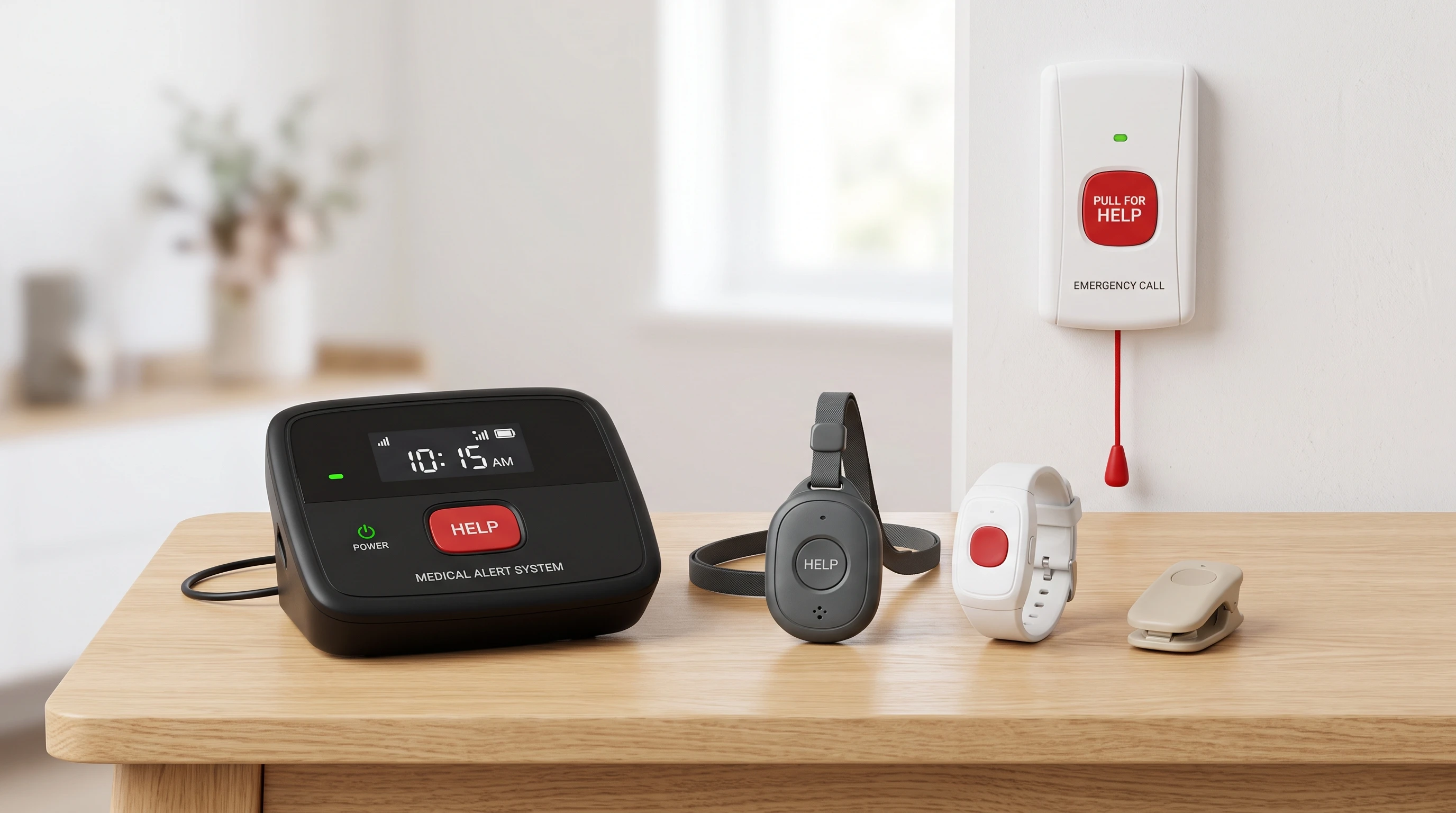
If you want something to wear all day, Silent Beacon and PILSAMAS both offer lightweight buttons that can go on a necklace or keychain. The HELP Dialer 700 gives you a wearable button plus a wristband, which may be more comfortable for some. Pull cord systems, like the PILSAMAS option, are best for placing by the bed or in bathrooms in case standing up is a challenge. Each setup covers a slightly different part of the home, so mixing and matching is sometimes the way to go. - Pricing and Fees
All these systems avoid monthly monitoring charges, which is a big plus. Silent Beacon is usually around $60, making it pretty affordable, especially if you have a smartphone already. HELP Dialer 700 costs more, about $130, but everything is included and there are no recurring charges. Both PILSAMAS systems stay under $100 for the base hardware, but unlocking calls and text alerts costs extra each month. It’s worth figuring out if app alerts work for your situation or if you’d actually need upgrade features. - Limitations and Reliability
No manual alert system is perfect, so regular testing keeps things running smoothly. If a smartphone is switched off or out of Bluetooth range, Silent Beacon won’t work. Landlines are less common these days, so HELP Dialer 700 only fits homes that still have a phone line (unless you get their adapter). WiFi based systems like PILSAMAS might miss alerts if your signal drops or the home internet goes down. None of these replace 911; if medical emergencies are a concern, a professionally monitored medical alert device might be a better fit.
Quick Device Pros & Cons
- Silent Beacon
Cool feature: Built-in two-way speaker to talk directly with family. Super compact and simple.
Limitation: Needs a nearby smartphone at all times. - HELP Dialer 700
Cool feature: Direct landline calling, works with familiar home phones.
Limitation: Only works where there’s a landline or if you buy an adapter for a cellphone. - PILSAMAS Wearable WiFi
Cool feature: Multiple wearables included; free app alerts on as many family phones as you like.
Limitation: Calls and texts cost extra, and it needs steady WiFi. - PILSAMAS Pull Cord WiFi
Cool feature: Wall cord is easy to grab, perfect for bathrooms or bedrooms.
Limitation: App only alerts unless you pay for the calling or texting upgrade.
Who Should Pick Which Alert System?
- Silent Beacon: Best for anyone who always has their smartphone close and wants two-way voice plus notifications without an ongoing fee.
- HELP Dialer 700: A fit for households with landlines (or adapter) who prefer direct phone calls and a simple setup.
- PILSAMAS Wearable: Great for families who like push notifications to smartphones and want to keep costs as low as possible.
- PILSAMAS Pull Cord: Smart for anyone who wants a pull cord option in bathrooms or bedrooms, especially if voice calling isn’t needed.
One interesting thing I noticed: There’s not a solid wall mounted pull cord under $200 that calls family’s phones directly without a subscription or a separate phone dialer. Most affordable pull cords only send notifications through an app unless you buy extra coverage. Testing everything regularly is really important for any system. None of these are a full emergency or monitored medical alert setup, and they’re not a guaranteed replacement for calling 911 in a real emergency.
If you’re searching for a budget friendly system that keeps the whole family in the loop right away, one of these could be a solid place to start. Double-check prices and check availability, as these change often. Careful research helps buyers make the right call.
This is such a helpful breakdown; thank you for making the options clear without overwhelming details. I really appreciate how you focused on systems that alert family directly, since that feels more personal and practical for many households.
One thing I’d love to hear your thoughts on: in your experience, which type of alert system tends to be easiest for seniors themselves to consistently use day‑to‑day, especially if they’re not very tech‑savvy?
In my experience, many seniors today are comfortable using smartphones—even if smart TVs are another story! If they regularly carry and use a smartphone, a fall-detection device that connects to their phone and alerts family members or friends may be a good option.
For seniors who are less comfortable with technology, a monitored alert system is often easier and more reliable. These systems typically include a simple push button worn as a necklace or wristband. When pressed, it can notify a monitoring center, designated family members, or both. I actually have a post coming out tomorrow on this exact topic. Watch for it.
Ultimately, the best system is the one the senior feels comfortable wearing and can use confidently every day. Thanks for the great question!